
You’re looking for adorable and cute gambar sakura school simulator cute. I get it. Finding high-quality, unique, and truly cute pictures can be a real challenge.
Many online galleries just show the same repetitive scenes over and over.
This guide will not just show you cute pictures. It will teach you exactly how to create your own unique and share-worthy scenes. You’ll learn about the best locations, character poses, outfit combinations, and simple tricks to make your screenshots stand out.
Anyone can do this, even with basic in-game knowledge. Just follow the simple steps provided, and trust me, it’s easier than you think.
What Makes a Sakura School Simulator Scene ‘Cute’?
When it comes to the ‘cute aesthetic’ in Sakura School Simulator, it’s all about the blend of character design, setting, and action. Some might argue that cuteness is subjective, but in this game, there are specific elements that most players agree on.
First off, the visual elements play a huge role. Think pastel color schemes, soft lighting (which you can achieve by changing the in-game time), and clean, uncluttered backgrounds. These create a warm, inviting atmosphere.
Character customization is another key factor. Certain clothing items like dresses, bows, cat ears, and casual wear can make your character look adorable.
Facial expressions are also crucial. You can change your character’s expression in ‘Chara Edit’ to be happy, shy, or surprised. It’s these small details that bring the cute factor to life.
Pairing characters in heartwarming scenes, like holding hands or sitting together, adds an extra layer of cuteness. Some might say it’s too much, but for many, it’s exactly what makes gambar sakura school simulator cute.
Top 5 In-Game Locations for Adorable Photoshoots
I’ve put together a list of the best photo spots in the game. Each one is perfect for capturing those cute and memorable moments.
Location 1: The Cake Shop
The Cake Shop is a sweet lover’s dream. You’ll find colorful cakes, cute tables, and a decor that’s just begging to be photographed. It’s like stepping into a real-life candy land.
Location 2: The Amusement Park
The Amusement Park is a must-visit. The Ferris wheel, especially at sunset, offers a stunning backdrop. And don’t forget the merry-go-round for some dynamic and joyful shots.
These rides add a touch of magic to your photos.
Location 3: The Wedding Chapel
If you’re looking for something romantic, head to the Wedding Chapel. The beautiful architecture, flowers, and overall atmosphere make it ideal for couple-themed pictures. It’s a place where every corner tells a story.
Location 4: The Peach-Gumi Hideout
This hidden gem is a fan-favorite. The Peach-Gumi Hideout is pink-themed and overwhelmingly cute. It’s a girly aesthetic that’s perfect for those who love all things adorable.
Trust me, it’s worth the hunt.
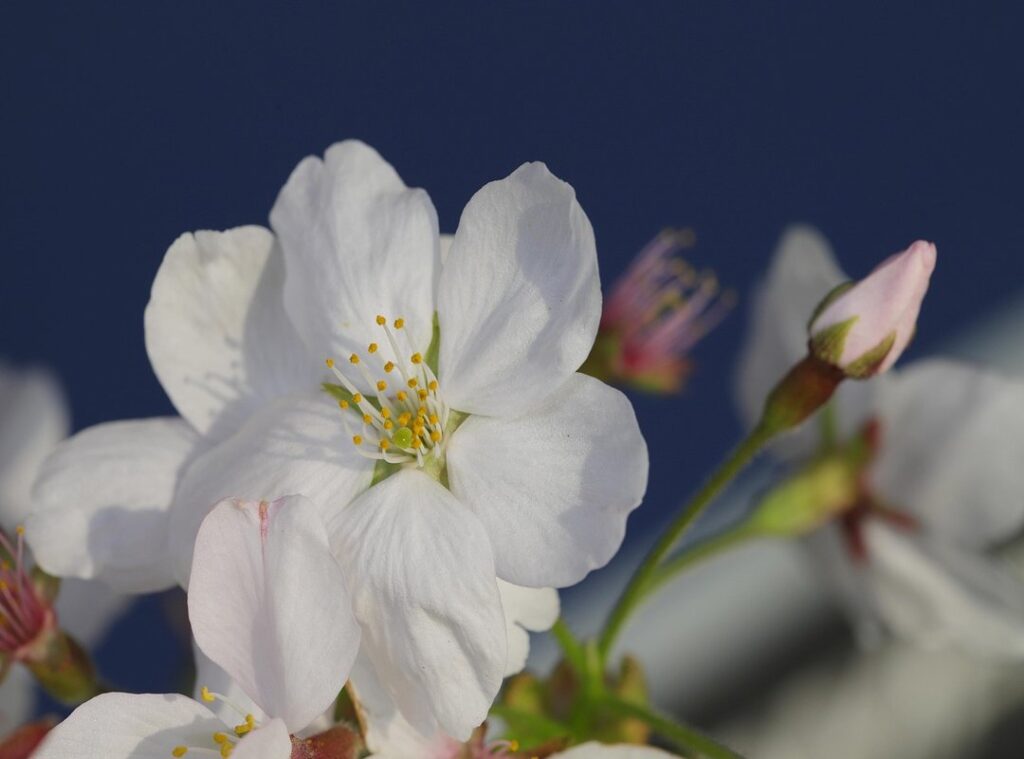
Location 5: Any area with cherry blossom trees
Cherry blossom trees are iconic. They provide a soft, beautiful, and classic backdrop for any character pose. Whether you’re using gambar sakura school simulator cute or just enjoying the scenery, these trees never disappoint.
These locations are not just pretty; they’re also popular among players. According to in-game data, these spots see a high number of visits and photo uploads. So, if you want to join the trend, these are the places to be.
A Step-by-Step Guide to Posing Your Character

So, you want to get that perfect shot in the game? Let’s dive into how to use Pose Mode.
First things first, access Pose Mode through the main menu. It’s usually under the “Extras” or “Customize” section. You can pose your own character and even NPCs you’re interacting with. gambar sakura school simulator cute
One time, I forgot to check if I was in the right mode and ended up just standing there, looking like a fool. Lesson learned: always double-check your settings.
Now, let’s talk about some cute poses. Here are a few favorites:
– Shy: Perfect for those bashful moments.
– Waving: Great for a friendly hello.
– Sitting on floor: Adds a relaxed vibe.
– Cheer Dance: For when you’re feeling extra peppy.
I once tried to do a cheer dance pose in a crowded area. It didn’t go well. People were bumping into me, and the shot was a mess.
Pro tip: find a quiet spot for these kinds of poses.
Next, let’s frame the perfect shot. Use the Camera Angle and Zoom features to get the right perspective. Close-ups are great for capturing facial expressions, while wider shots can show off the scenery.
Another mistake I made was not adjusting the camera angle properly. The shot looked off, and it took forever to get it right. Take your time and experiment with different angles.
To make two characters interact in a pose, use the ‘Follow Me’ and ‘Talk’ functions. Position them where you want, then enter Pose Mode. This way, they look natural and engaged.
Once, I tried to pose two characters without using ‘Follow Me’ and ‘Talk’. They looked awkward and stiff. Trust me, these functions make a huge difference.
Pro tip: Use the ‘invisible character’ trick. Equip the ‘Deceit’ costume from the sewer hideout to take pictures of other characters without your player getting in the way. It’s a game-changer for those gambar sakura school simulator cute shots.
In the end, practice makes perfect. Don’t be afraid to try different poses and settings. And remember, even the best shots come from a bit of trial and error.
Using Props and Simple Edits to Enhance Your Pictures
Props can take a good picture and make it great. I love using items from the ‘Props’ menu in ‘Chara Edit’ to add that extra touch.
Holding a teddy bear can make your character look adorable and approachable. Eating a lollipop adds a playful, sweet vibe. Carrying a school bag gives a more everyday, relatable feel.
And holding a cat? It’s a classic way to show off a softer, more nurturing side.
Post-production is where you can really make those pictures pop. Free mobile apps like PicsArt or Canva are great for adding simple filters, stickers (like hearts or sparkles), or text.
Keep edits minimal to maintain the game’s original charm. A soft filter or a slight brightness adjustment is often all that’s needed. Overdoing it can make the picture look too artificial.
Pro tip: A little goes a long way. Stick to one or two enhancements to keep the focus on the gambar sakura school simulator cute.
Start Creating Your Own Share-Worthy SSS Moments
Finding the right location, choosing a cute outfit and pose, and using props are the secrets to amazing pictures. Now that you have all the tools and knowledge needed, it’s time to stop searching for gambar sakura school simulator cute and start creating your own. Experiment with the locations and poses discussed in the article.
Challenge yourself to try creating a cute scene at the Amusement Park. Don’t forget to share it with your friends or in online fan communities!
 Sylron Frostbrook spearheaded the project’s interactive evolution, merging high-impact research with a premium user experience. They were instrumental in sourcing the deep-level insights that give the platform its substance, while simultaneously ensuring the interface remained fluid and intuitive. Through this balance of investigative depth and seamless design, they elevated the project into a sophisticated and highly engaging resource.